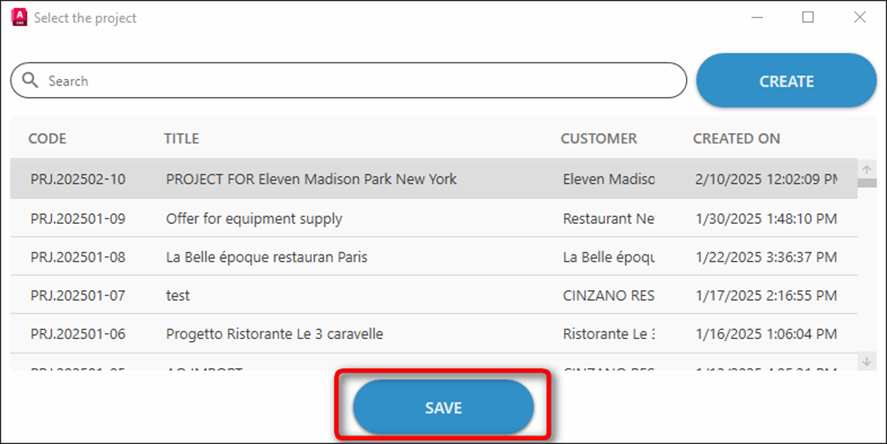
It’s mandatory to save a drawing into a Specifi project, in order to synchronize the drawing with the quotation.
Specifi saves the dwg file locally into a specific path. By default, it has been set to your Documents folder, and you can easily verify and change that path running Main settings command: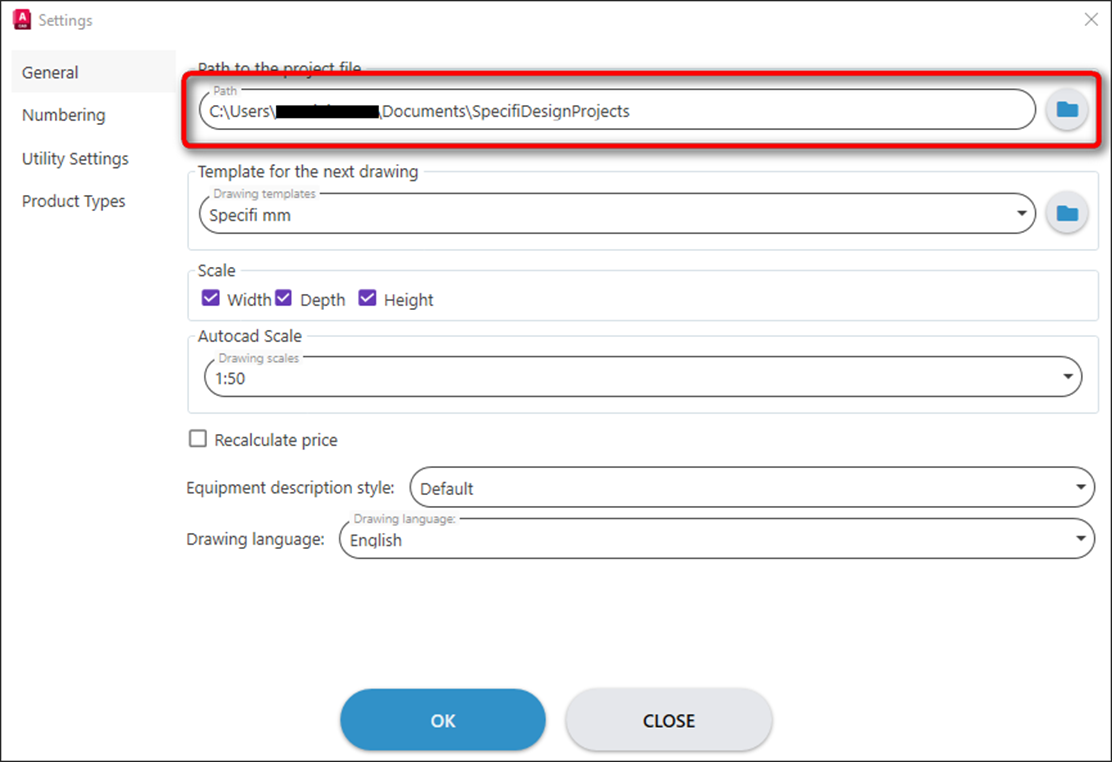
From Projects section of Specifi main ribbon, click Save button.

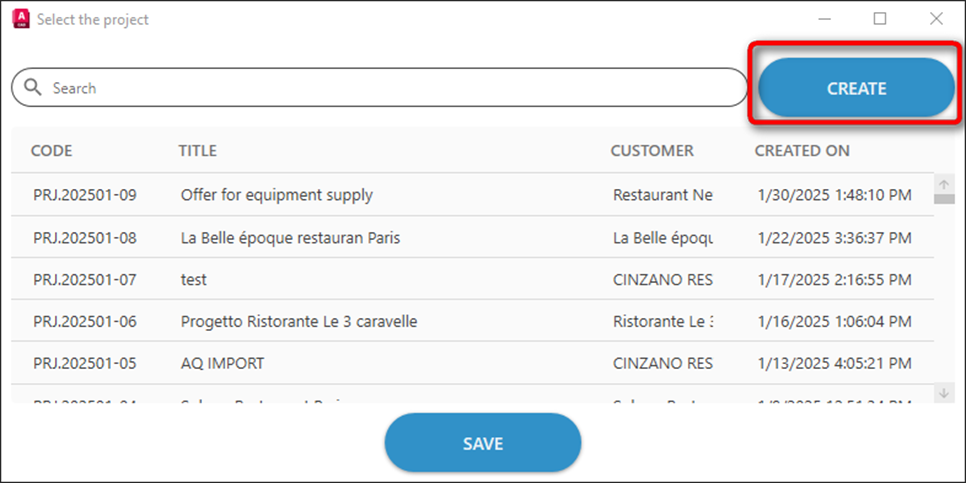
Specifi Loads the list of projects already created. Click CREATE button to add a new project to the list.
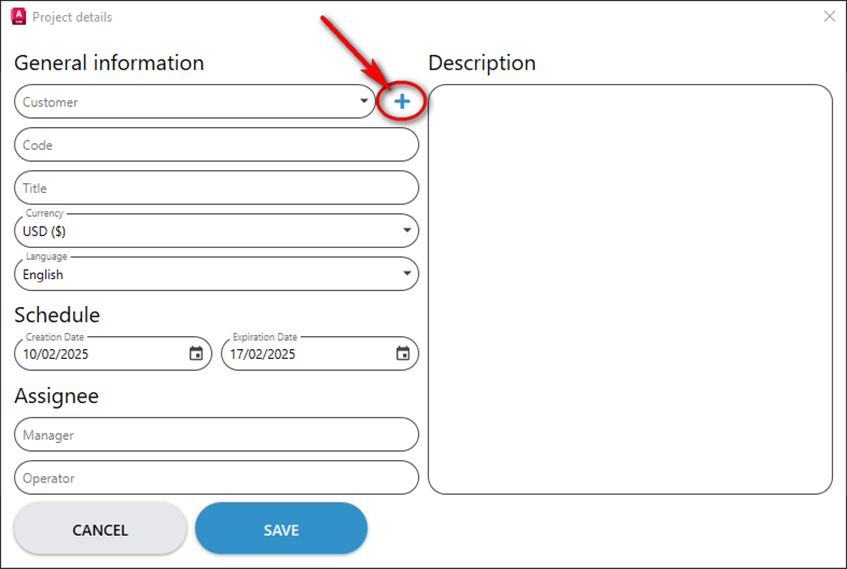
Click + button to add a new customer.
Fill the form with the customer’s details. And click CREATE button.
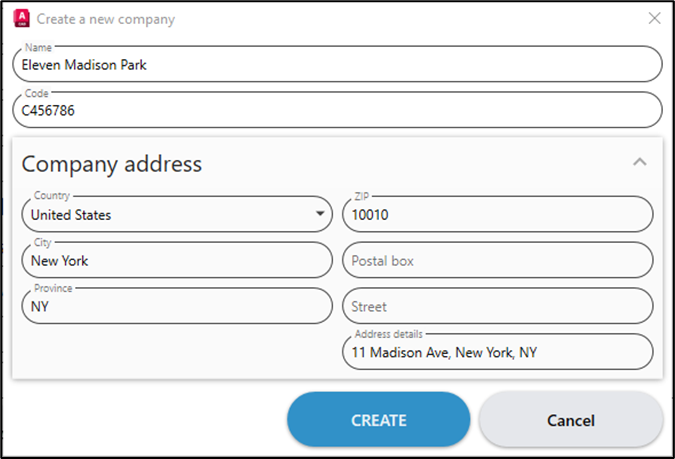
Specifi adds the new customer and automatically assigns the project code, based on the rule you’ve set in Specifi Quote main options.
Fill the form with the remaining information. And click SAVE button.
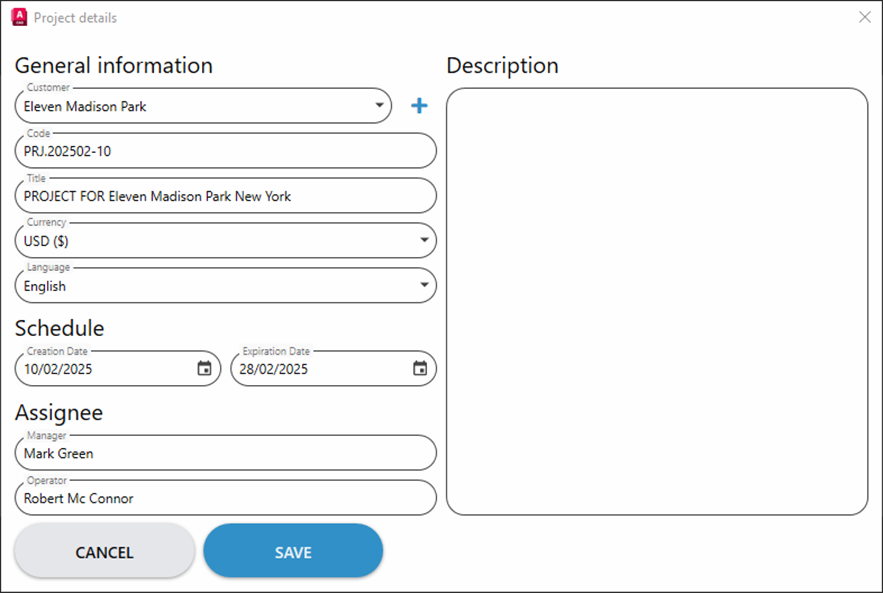
The new project will be added to the project list. Select it and click SAVE button below to save the drawing.